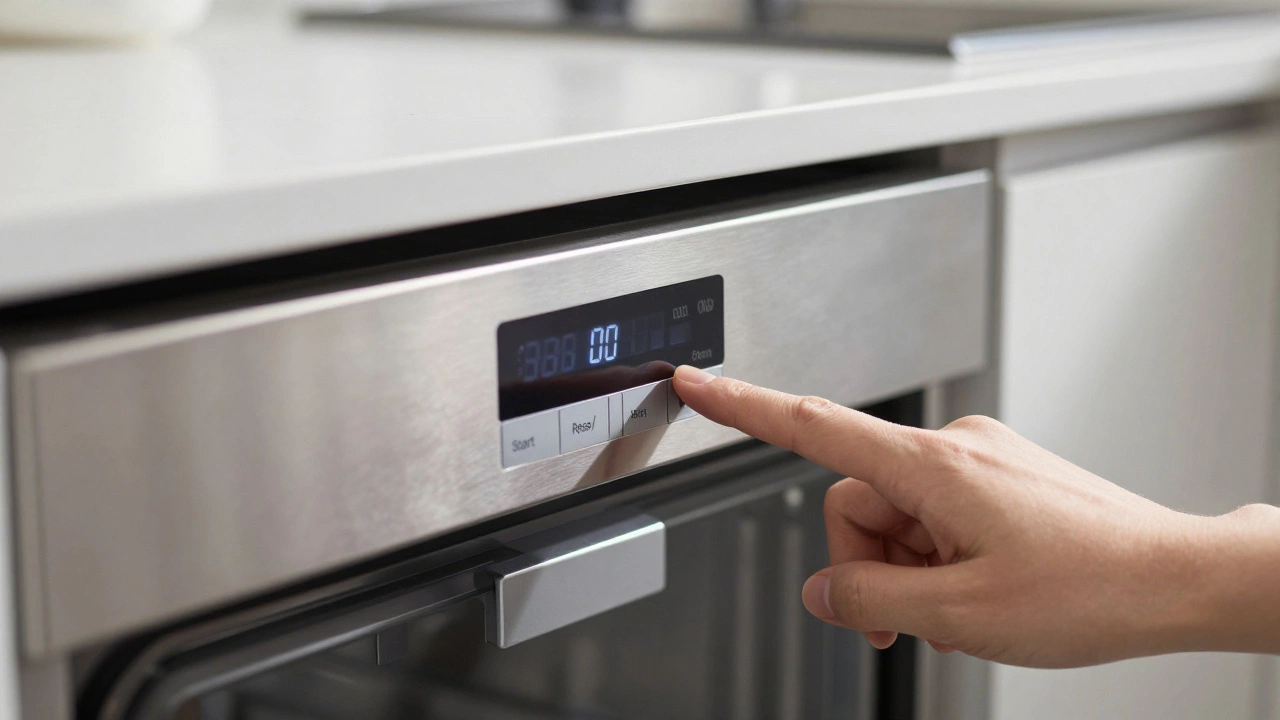
Dishwasher Reset Guide & Timer
Instructions
Hard Reset Timer
Use this timer when performing a hard reset via the circuit breaker.
Flip breaker back ON.
It’s the worst kitchen scenario: you load the dirty dishes, press start, and nothing happens. Or worse, it runs through a cycle but leaves your plates sticky with food residue. Before you call a technician or panic about buying a new machine, there is a simple fix that works more often than you’d think. You just need to know how to reset a dishwasher.
Dishwashers are essentially computers with plumbing attached. Like any computer, they can glitch, freeze, or get confused by power surges. A hard reset clears the memory, stops error loops, and forces the control board to re-evaluate its sensors. It takes less than five minutes and costs nothing.
Quick Summary: How to Reset Your Dishwasher
- The Universal Method: Hold the 'Start' or 'Heated Dry' button for 3-5 seconds to cancel and reset the cycle.
- The Hard Reset: Turn off the circuit breaker for 60 seconds to drain capacitors and clear memory.
- Brand Specifics: Samsung uses 'Auto Release', Bosch requires holding 'Start/Reset' for 10 seconds, and GE needs a specific button sequence.
- When It Fails: If resetting doesn't work, check the door latch, water inlet valve, and drain hose before calling a pro.
Why Does Your Dishwasher Need a Reset?
You might wonder why an appliance would need a restart. Modern dishwashers use microprocessors to manage wash times, water temperature, and drying cycles. These boards store temporary data in volatile memory. If the power flickers, if the door opens unexpectedly during a cycle, or if a sensor sends a conflicting signal, the logic board can get stuck in a loop.
Think of it like your phone freezing up. You don’t replace the phone; you restart it. A reset clears the "ghost" commands lingering in the system. It also helps if you accidentally selected the wrong cycle-like running a heavy pot scrub on delicate glassware-and need to switch gears immediately without waiting for the current program to finish.
In some cases, error codes appear on the display (flashing lights or letters like 'LE' or 'E1'). These codes indicate specific faults, such as a leak or a heating failure. A reset can sometimes clear these transient errors if the underlying issue was a momentary glitch rather than a broken part.
The Universal Soft Reset Method
Before you grab a screwdriver or head to the electrical panel, try the soft reset. This method works on approximately 80% of modern dishwashers from major brands like Whirlpool, KitchenAid, Maytag, and Frigidaire.
- Open the Door: Ensure the door is fully open. Most machines won’t accept reset commands while closed for safety reasons.
- Locate the Cancel Button: Look for a button labeled 'Cancel', 'Stop', or 'Clear'. On older models without a dedicated cancel button, look for 'Heated Dry' or 'Start/Pause'.
- Hold the Button: Press and hold the button for 3 to 5 seconds. You should hear a beep or see the display go blank.
- Wait for Silence: Wait 10 seconds. The internal fans may spin down, and the water pump may stop.
- Select a New Cycle: Close the door and select a standard wash cycle. Press start.
If the dishwasher starts filling with water and the lights illuminate normally, you’re good to go. If the display remains black or the machine refuses to engage, move to the hard reset method below.
The Hard Reset: Cutting Power Completely
Sometimes a soft reset isn’t enough. The control board’s capacitors hold a charge even after the screen goes dark, keeping the "frozen" state alive. To truly wipe the slate clean, you need to cut the power at the source.
This is known as a hard reset. It drains the residual electricity from the main control board, forcing it to reboot from scratch when power is restored.
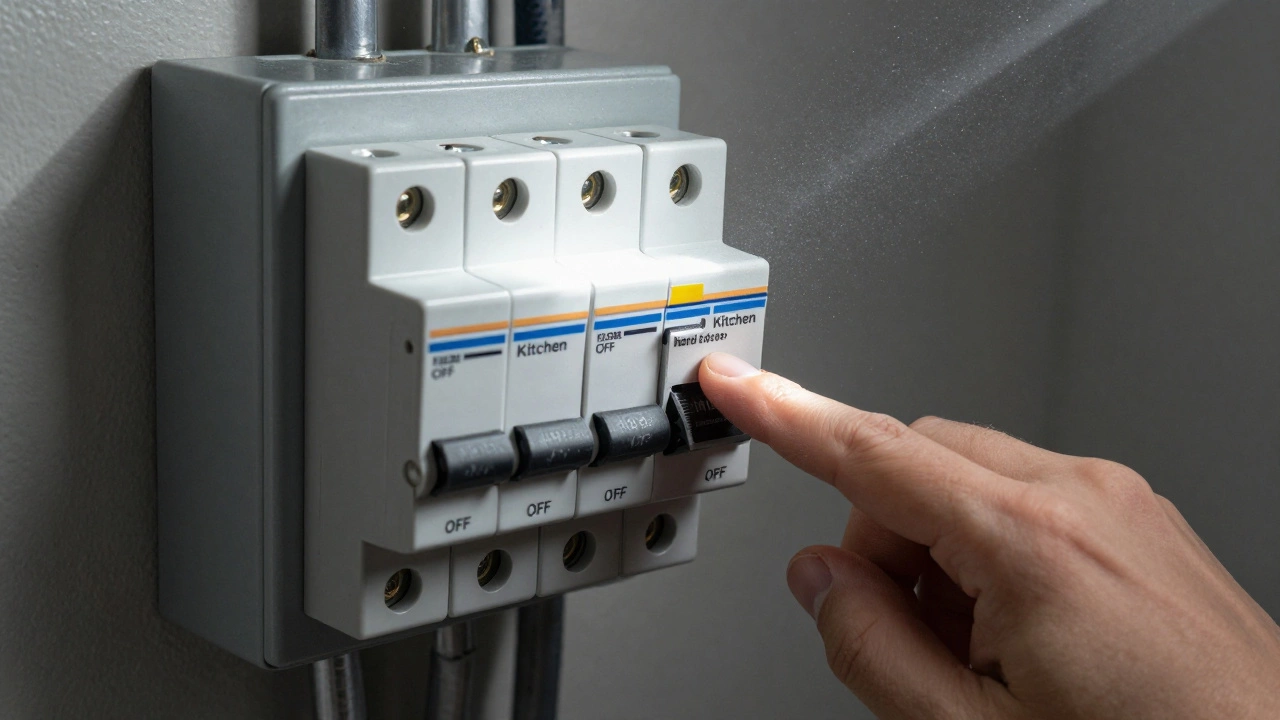
- Find Your Circuit Breaker: Locate your home’s electrical panel. Identify the breaker labeled 'Kitchen' or 'Dishwasher'. If labels are missing, turn off breakers one by one until the dishwasher display dies.
- Flip the Switch: Turn the breaker to the 'OFF' position.
- Wait 60 Seconds: This is crucial. Waiting ensures all capacitors discharge. Counting to 60 gives you time to stretch your legs and calm down.
- Restore Power: Flip the breaker back to 'ON'.
- Test the Machine: Open the door, close it firmly, and try to start a basic cycle.
Note: Do not unplug the dishwasher unless it has a visible plug behind the kickplate. Most built-in units are hardwired into the junction box under the sink. Unplugging hardwired appliances is dangerous and voids warranties. Stick to the circuit breaker.
Brand-Specific Reset Procedures
While the universal methods work often, manufacturers sometimes code unique reset sequences into their firmware. Here is how to handle the most common brands found in homes today.
| Brand | Reset Method | Notes |
|---|---|---|
| Samsung | Press and hold 'Auto Release' for 3-5 seconds. | If the door is locked, hold 'Delay Start' + 'Rinse Aid' simultaneously for 3 seconds. |
| Bosch | Press and hold 'Start/Reset' for 10 seconds. | Works on Series 4, 5, 6, and 8. Display will flash briefly. |
| GE / Hotpoint | Press 'Heated Dry' then 'Normal Wash' quickly. | Or hold 'Start' for 3 seconds. Some models require opening/closing the door three times. |
| Whirlpool / Kenmore | Hold 'Start' or 'Cancel' for 3 seconds. | If no response, use the circuit breaker hard reset. |
| LG | Press 'Power On/Off' to turn off, wait 10 seconds, turn on. | For smart models, unplug for 1 minute to reset Wi-Fi modules too. |
| Frigidaire / Gallery | Press 'Cancel Drain' or 'Stop' for 3 seconds. | If the light flashes red, check the door latch first. |
What If the Reset Doesn’t Work?
If you’ve tried both the soft and hard resets and the dishwasher still won’t start, or if it starts but fails to fill/drain, the problem is likely mechanical or physical, not digital. Don’t keep resetting; you’ll wear out the buttons. Instead, investigate these three common culprits.
1. The Door Latch is Faulty
Dishwashers have a safety interlock. If the control board doesn’t detect that the door is fully latched, it will refuse to run. Even if the door looks closed, the latch mechanism might be broken or misaligned.
Check this: Close the door and listen for a solid click. Try pulling the door open gently; it should resist slightly. If the door pops open easily, the latch spring or hook is damaged. Inspect the latch area for food debris blocking the closure.
2. Water Supply Issues
A reset won’t fix a lack of water. If the dishwasher hums but doesn’t fill, check the water inlet valve. Ensure the hot water tap under the sink is turned on. Also, inspect the inlet screen (a small mesh filter inside the valve connection) for sediment buildup. In areas with hard water, mineral deposits can clog this screen completely.
3. Drainage Blockages
If the dishwasher fills but won’t drain, or if it shows a 'Drain Error,' the issue is usually physical. Check the garbage disposal knockout plug. Many installers forget to remove the plastic plug connecting the dishwasher hose to the disposal. If that plug is still in place, water has nowhere to go. Also, inspect the drain hose for kinks under the counter.
Preventing Future Glitches
Once your dishwasher is running again, you can take steps to prevent future resets. Regular maintenance keeps the sensors clean and the logic board happy.
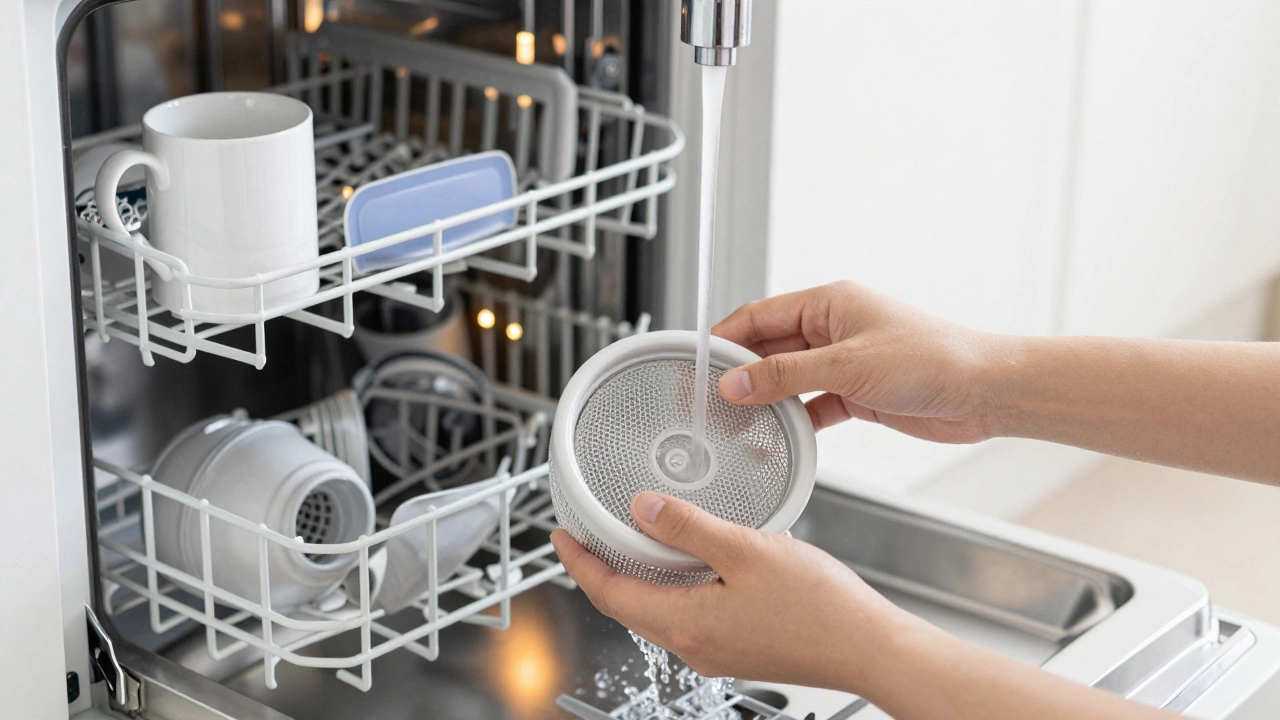
- Clean the Filter Monthly: Food particles trapped in the bottom filter can confuse flow sensors. Remove the rack, twist out the filter, and rinse it under warm water.
- Use Rinse Aid: Proper rinsing prevents film buildup on sensors and spray arms. Film can mimic low-water signals.
- Run a Cleaning Cycle Quarterly: Use a commercial dishwasher cleaner or a cup of white vinegar on the top rack to dissolve grease and minerals. This keeps the interior electronics dry and corrosion-free.
- Secure the Power Connection: Loose wiring in the junction box can cause intermittent power loss, leading to random freezes. If you notice frequent unexpected resets, have an electrician check the terminal connections.
When to Call a Professional
Resets are great for software glitches, but they can’t fix hardware failures. Call a repair technician if:
- The control board smells like burning plastic.
- You hear grinding noises from the motor or pump.
- Water leaks onto the floor despite a reset.
- The error code persists after multiple hard resets (e.g., persistent 'LE' for leak or 'HE' for heater).
Attempting to replace a control board or water pump yourself without experience can lead to electrical shock or further damage. However, knowing how to reset the machine first saves you from unnecessary service calls for simple glitches.
Will resetting my dishwasher delete my custom settings?
Generally, no. A standard reset (holding the start button) only cancels the current cycle. A hard reset (power cycle) might revert Wi-Fi settings or clock time on smart models, but it rarely deletes saved cycle preferences like "Heavy Wash" or "Sanitize." You may need to re-sync the app if you have a connected model.
How long should I wait after turning off the breaker?
You should wait at least 60 seconds. This allows the capacitors in the control board to fully discharge. Turning the power back on too soon means the board hasn't actually reset, and the glitch will remain.
My dishwasher is making a clicking sound but won't start. Should I reset it?
Yes, try a reset first. The clicking could be the relay on the control board trying to engage a stuck component. If the clicking continues after a hard reset, it likely indicates a faulty door latch switch or a failing control board that needs replacement.
Can I reset a dishwasher if the display is completely dead?
If the display is dead, the issue is likely power-related. Check the circuit breaker first. If the breaker is on, check if the dishwasher is plugged in (if applicable). If power is confirmed but the screen is black, the control board may have failed and cannot be reset via buttons.
Does resetting the dishwasher help with bad odors?
No. Resets address electronic issues. Bad odors come from food debris trapped in the filter, drain hose, or sump. To fix smells, clean the filter, run a hot water cycle with vinegar, and wipe down the door gasket.
Why does my dishwasher reset itself randomly during the night?
Random resets are usually caused by loose electrical connections in the hinge wires or the main junction box. As the door moves, the wires flex, causing intermittent power loss. Have a technician tighten the wire harness connections.
I am an expert in the services industry with a focus on appliance repair. My passion lies in understanding how things work and educating others in simple, engaging ways. This enthusiasm fuels my writing, where I delve into topics around appliance maintenance and troubleshooting. I aim to make these subjects clear and accessible to all readers.